Rotational Throw Analytics
Every turn, every position, every frame — from a single video.
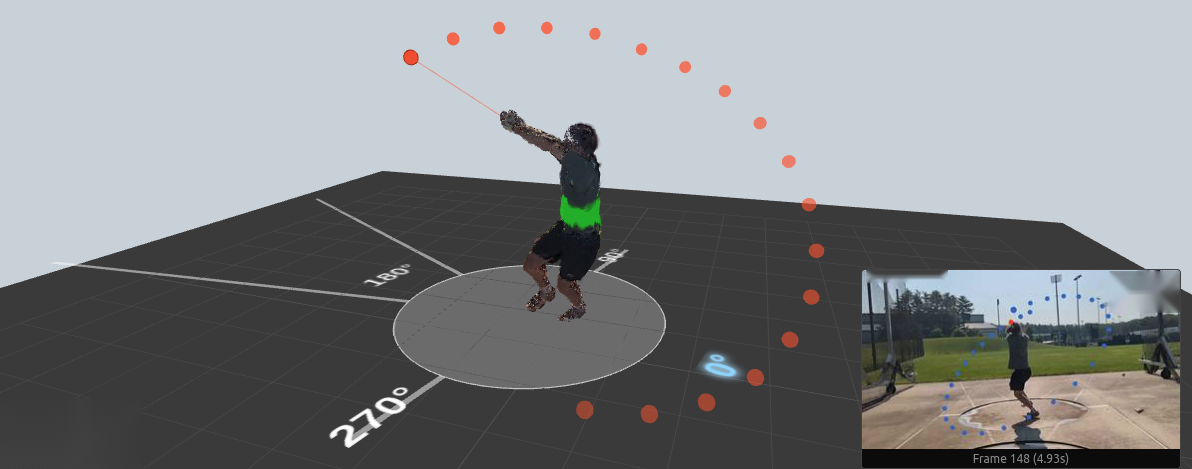
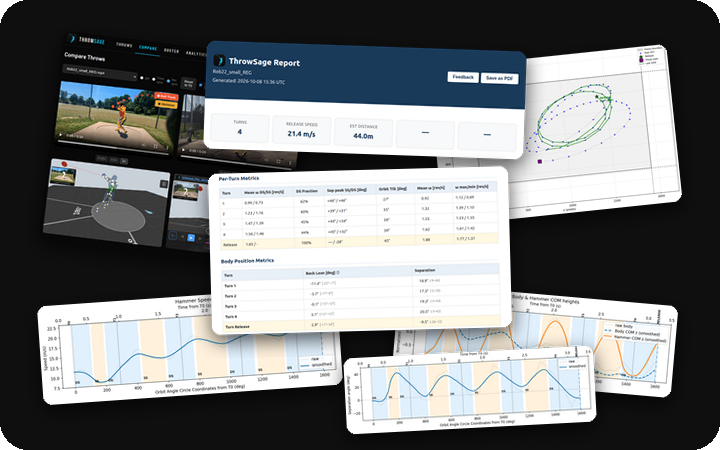
Sample throw — figures from an analysed session.
For Athletes
You feel the throw. You can't see it. Hidden timing errors at turn two, a torso that unwinds early, a back tilt that bleeds radius — they cost meters without ever feeling wrong. ThrowSage makes those errors visible.
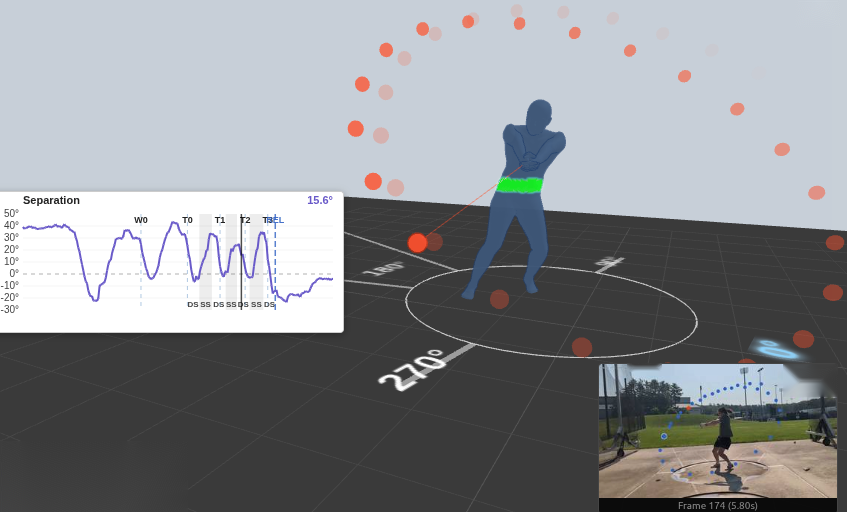
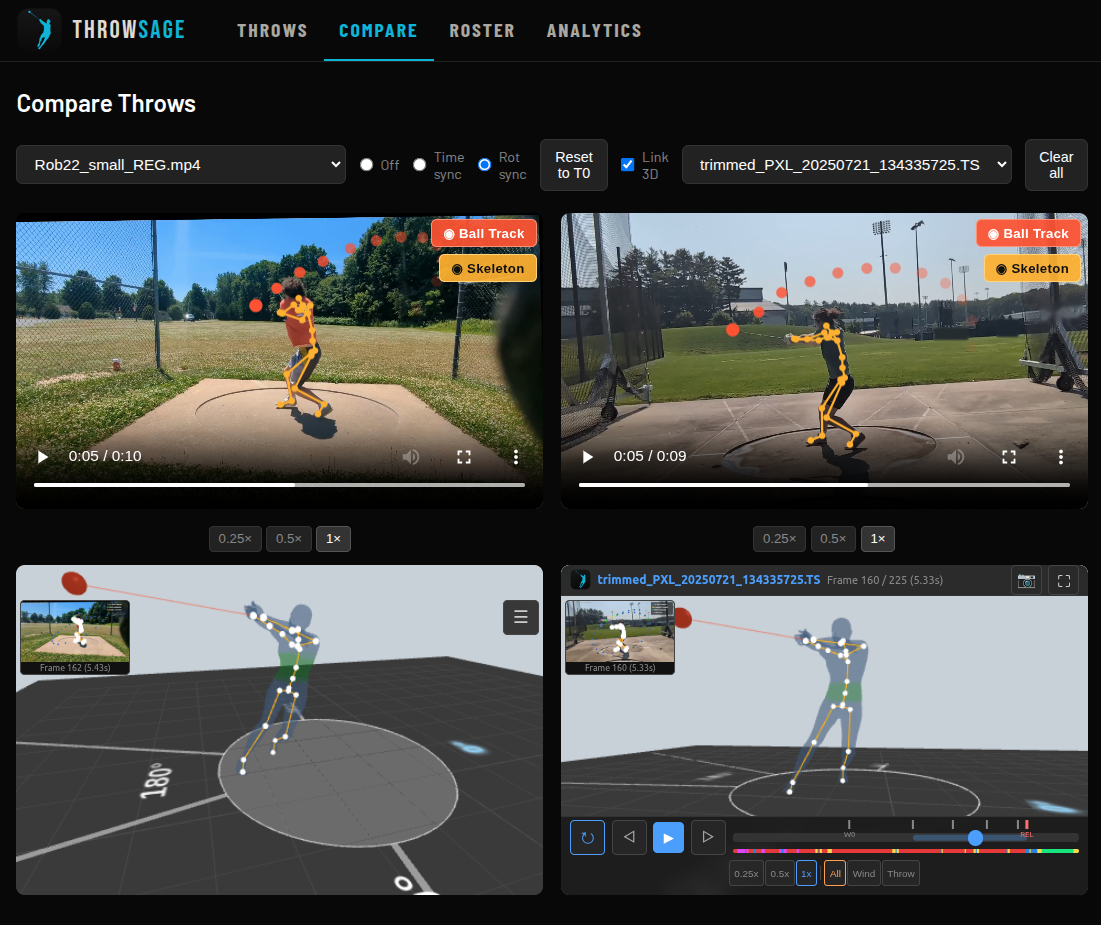
The dynamic bodymesh coloring reveals shoulder-pelvis separation — something even experienced coaches struggle to quantify from video.
Spin your athlete in 3D. See the orbit shape from overhead. Watch the torso lean from behind. Notice the low-point drift from the side. Every frame, every viewpoint — in seconds.
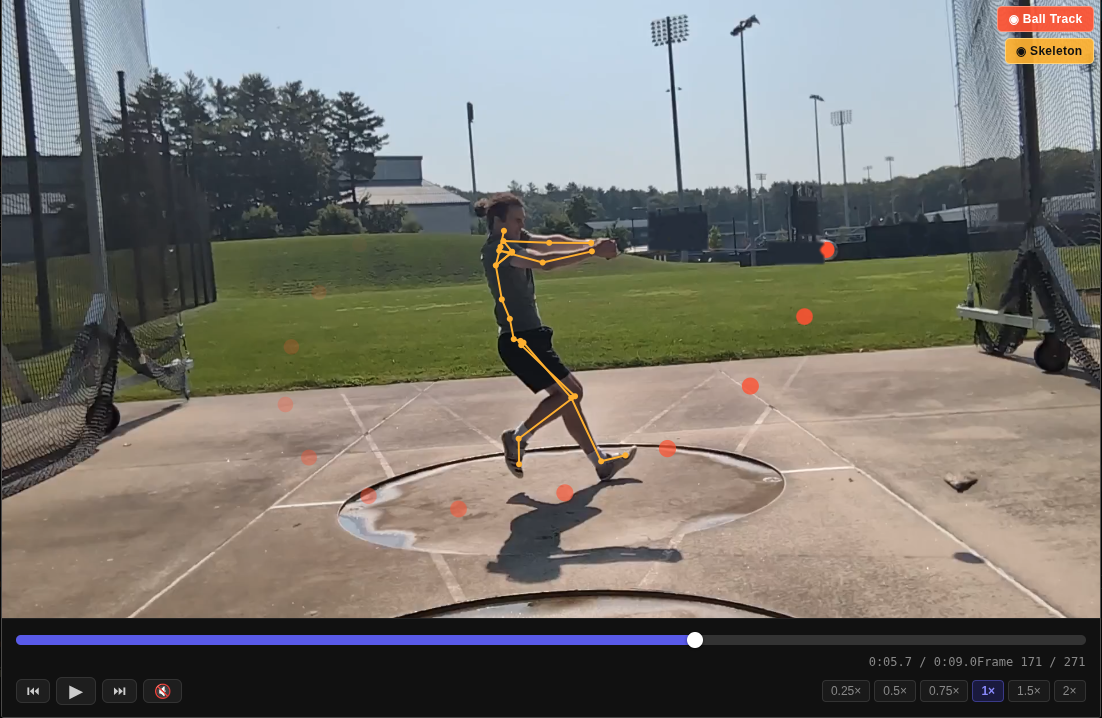
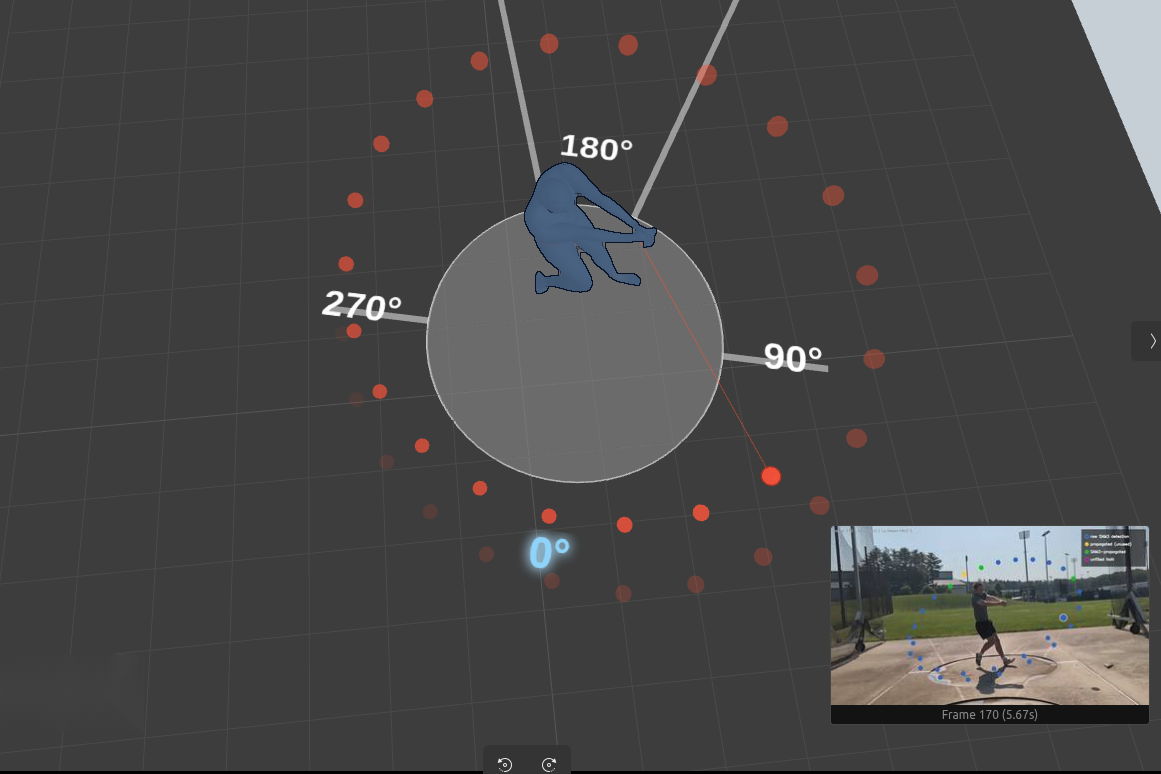
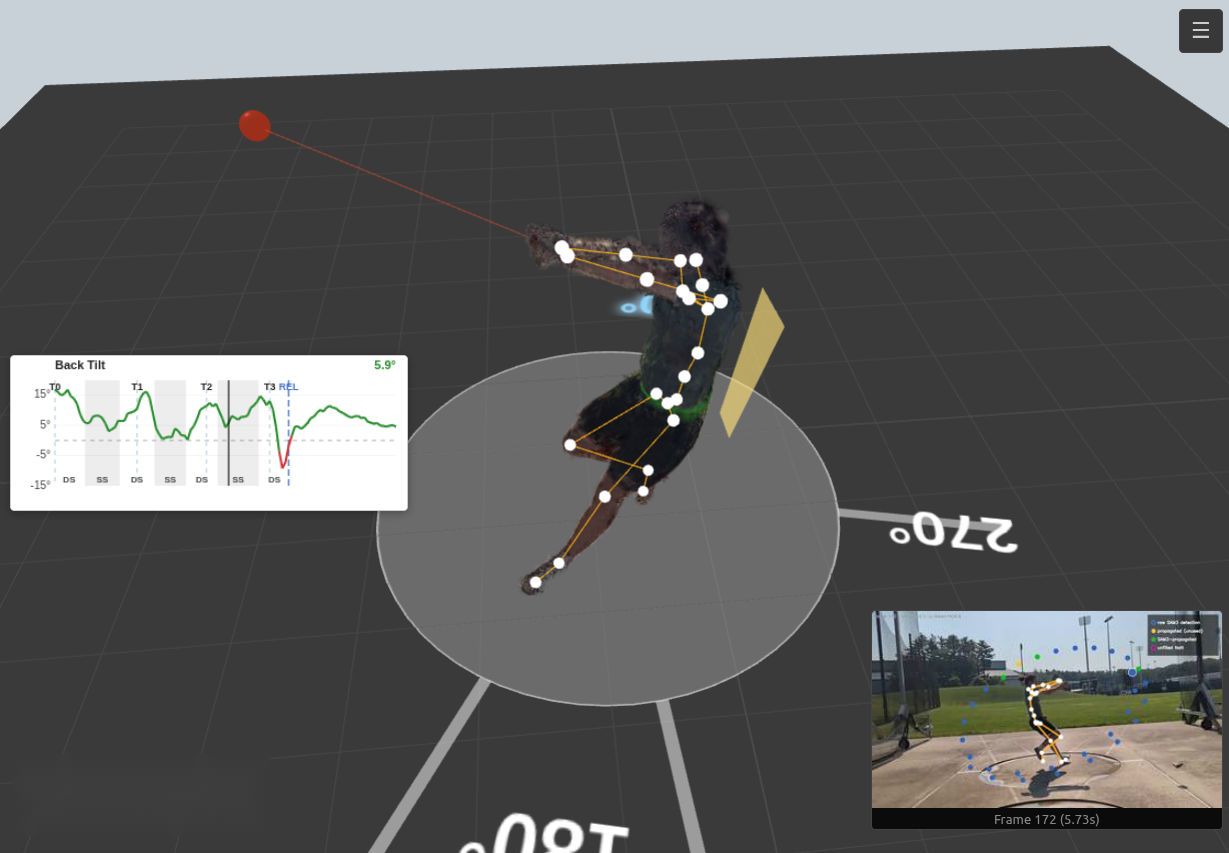
ThrowSage provides clear visualization of SS/DS stages with a change of the throwing circle color — so the per-turn double-support fraction in the report is something you can see, not just read.
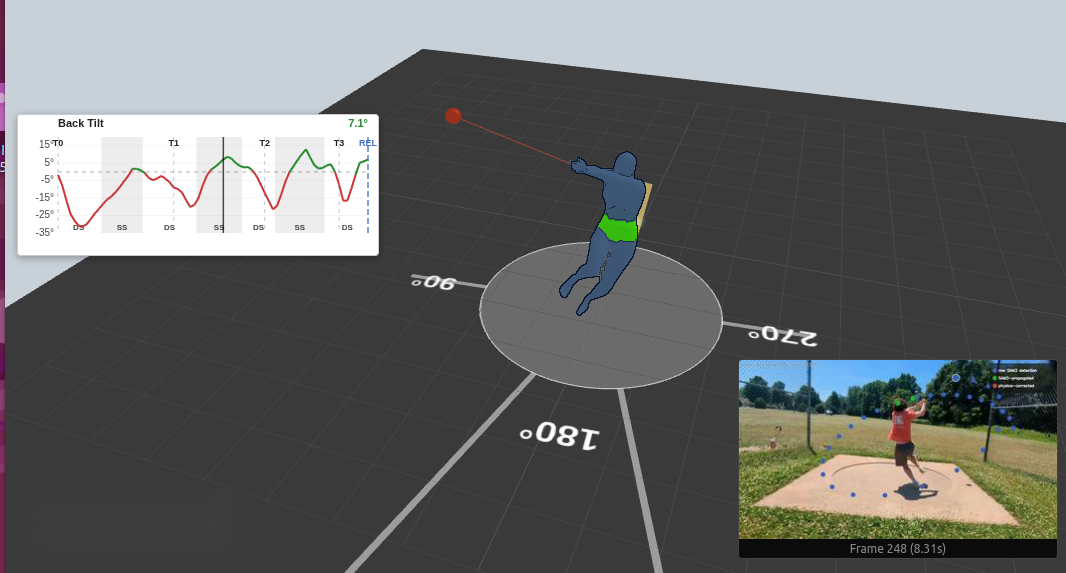
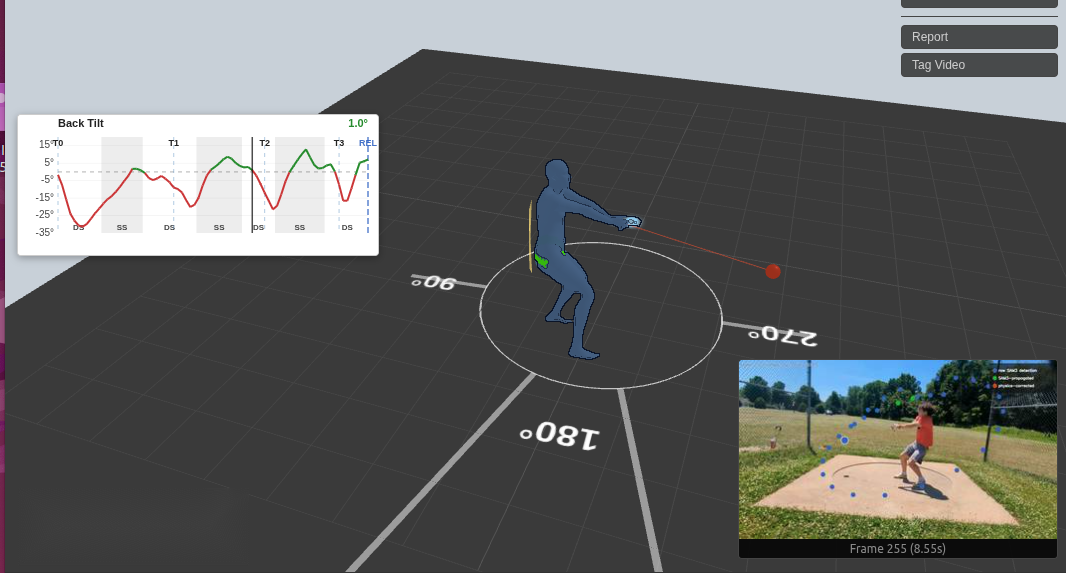
Stack a throw against your PR. Watch back tilt improve across a training block. Chart release speed against separation, week by week. Every report metric is comparable and trackable — so you can prove the technique change is working.
For Coaches
You already spot the flaws. ThrowSage gives you the data to back it up, track it, and prove it's getting better. Objective 3D metrics on every throw, for self review and coaching feedback.
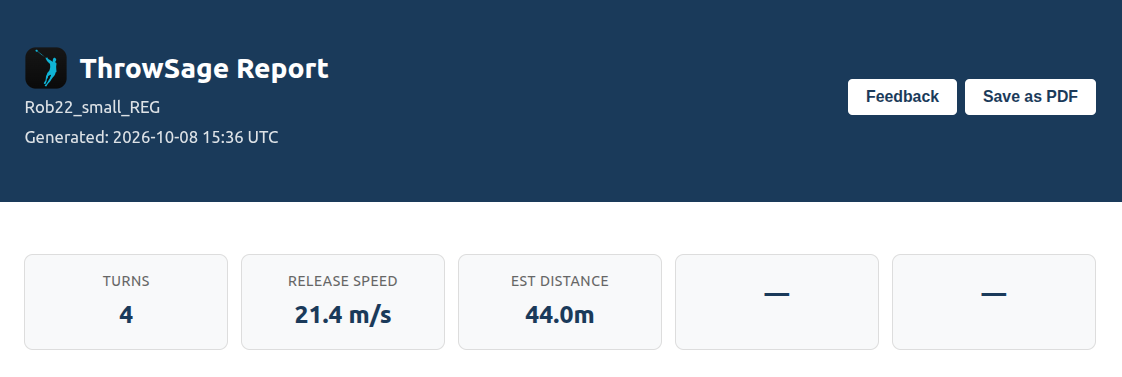
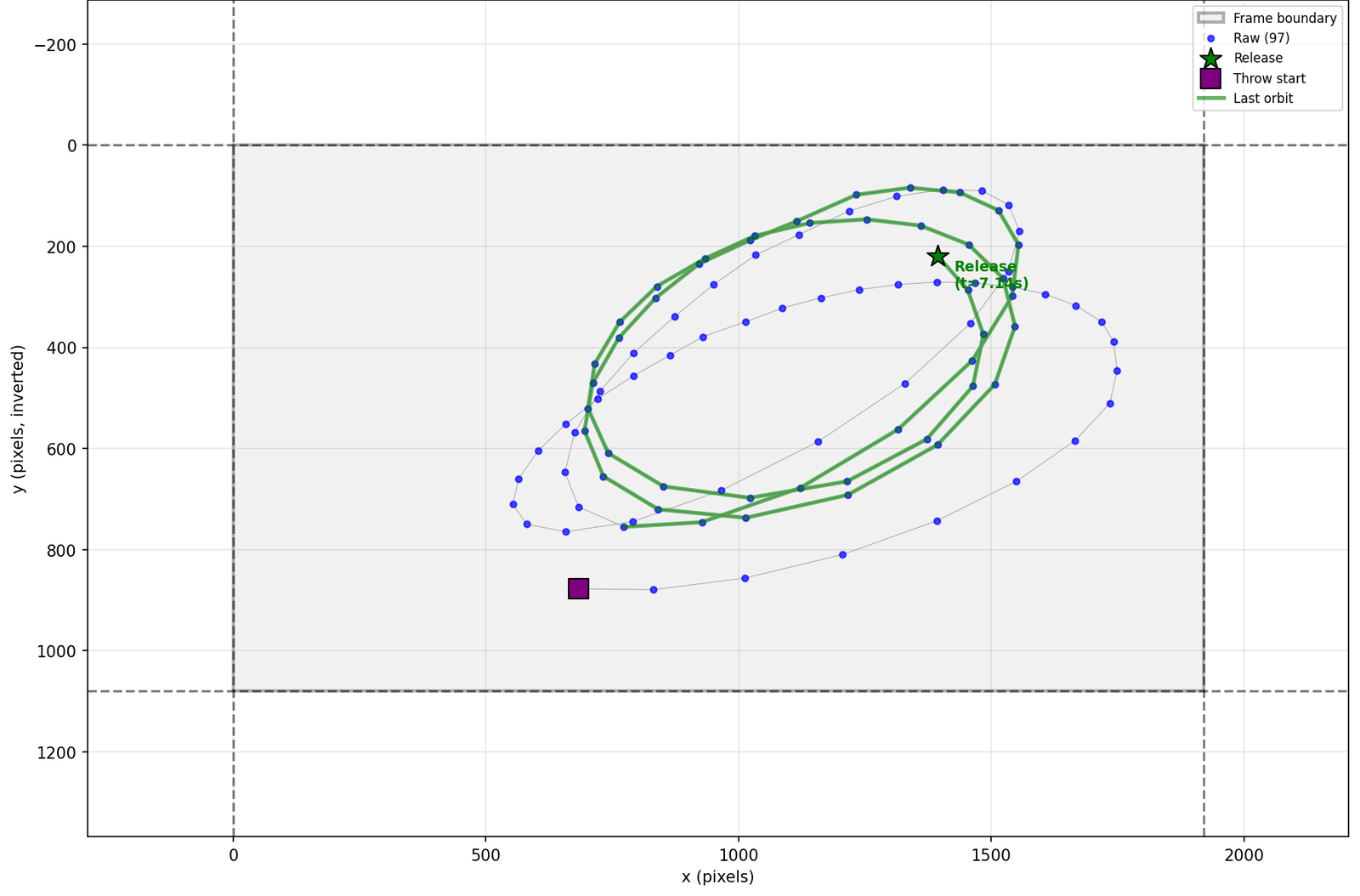
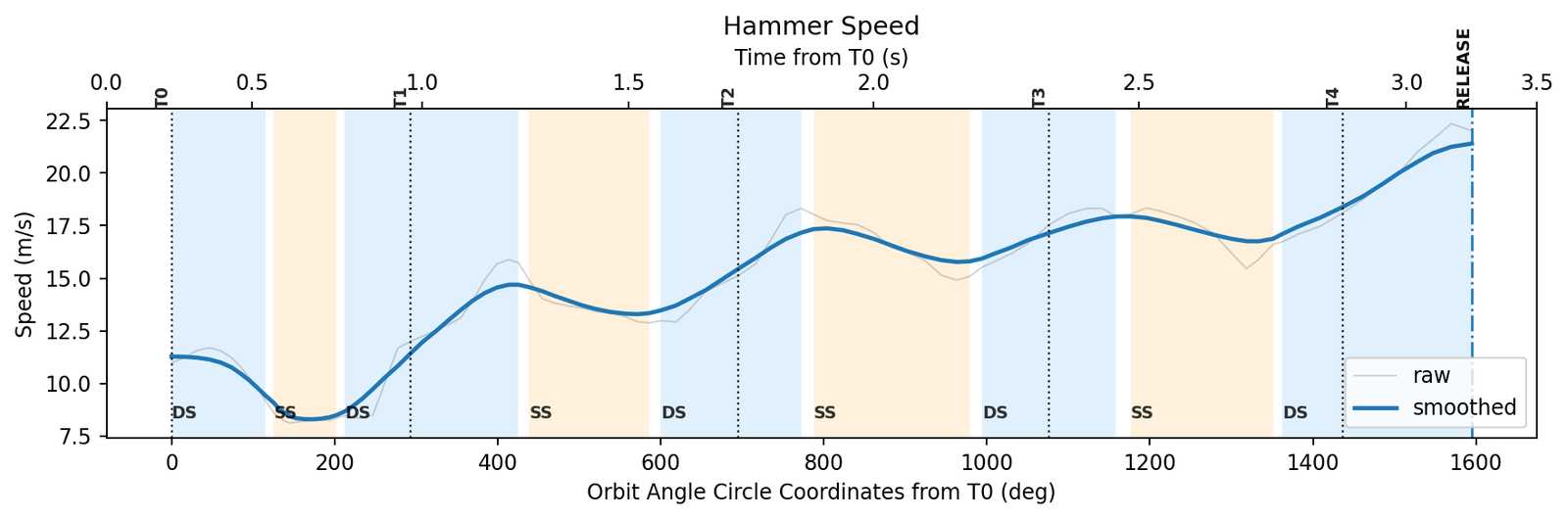
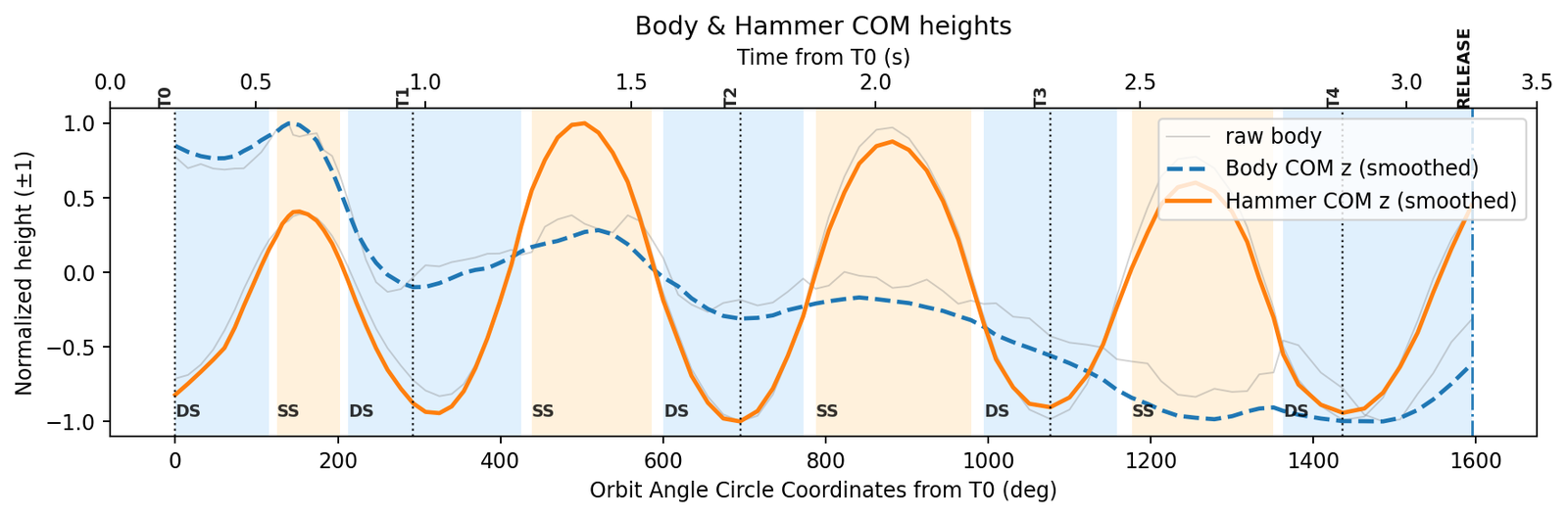
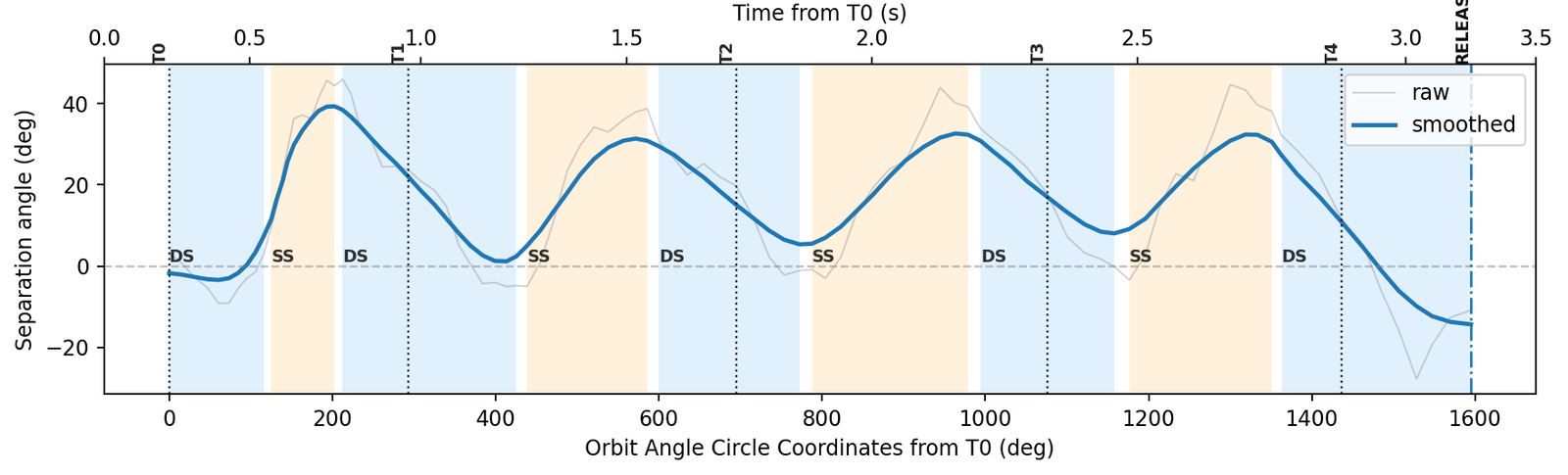
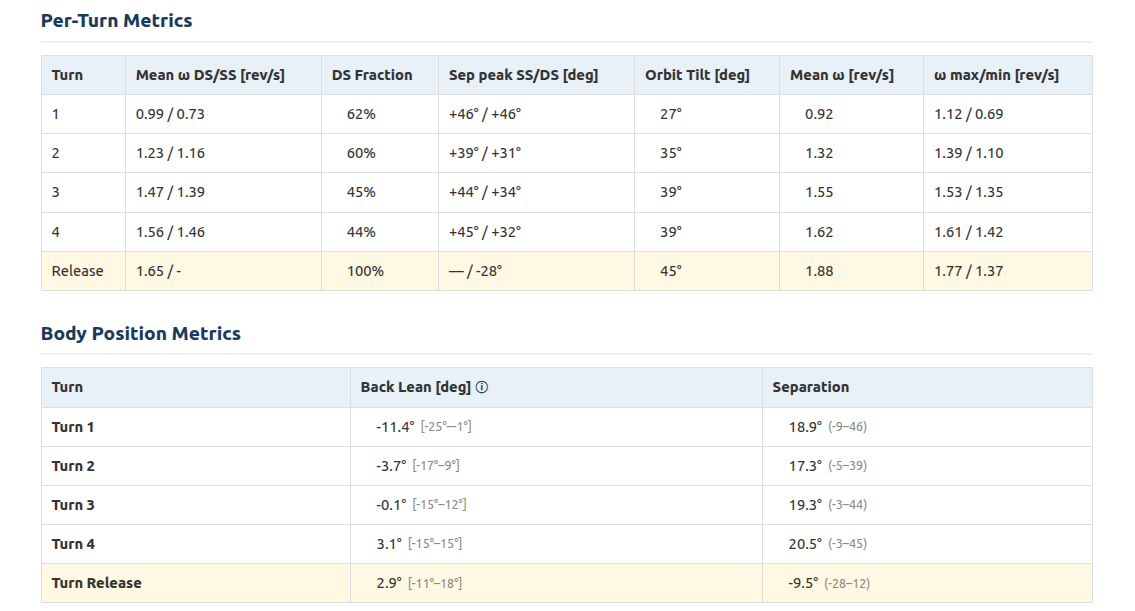
Every report includes performance plots, turn metrics and additional guidance.
Biomechanical metrics for each turn — timing, velocity, body position.
Compare throws over weeks and months. See progress, not just snapshots.
Set specific issues and metrics to screen for and grade on each throw. Recommend corrective exercises and drills.
Share results with athletes, parents, or program administrators.
NO HARDWARE. NO LAB. JUST YOUR PHONE.
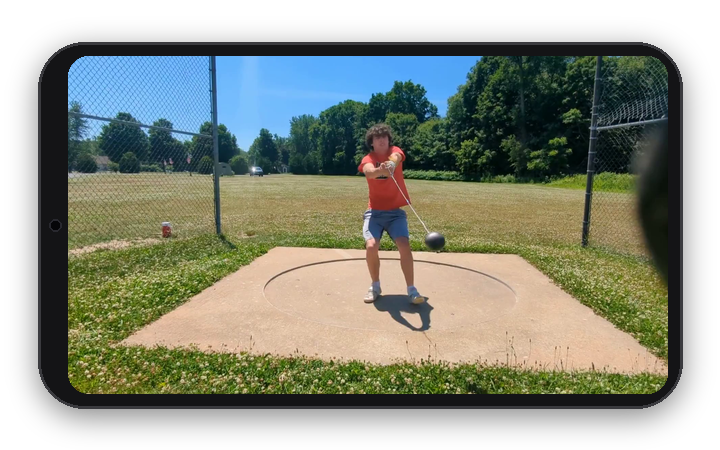
Record the throw.
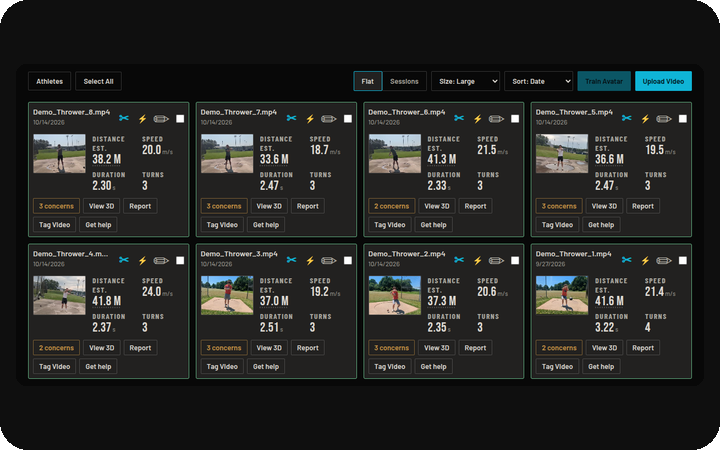
Upload to the ThrowSage dashboard.
3D viewer, metrics, coaching flags and reports.
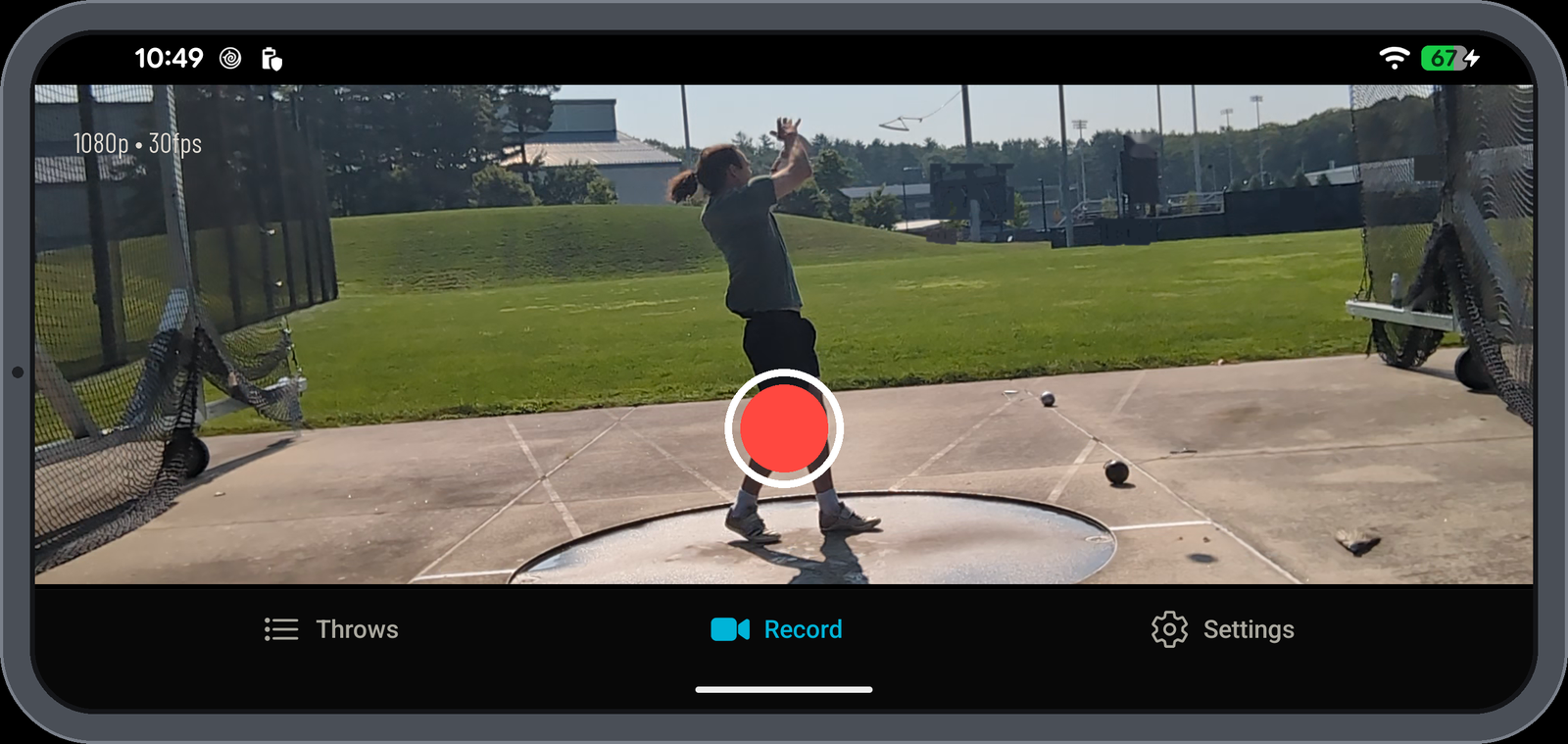
ThrowSage works with any existing footage. Use the ThrowSage phone app and every shot is optimized automatically — sharper frames, better tracking, cleaner data.
Every new account opens on a real analysed throw to explore, tag and re-run.
Upload two of your own throws at no cost, then choose a plan.
Read it before the first upload — filming is most of the result.
No. Upload in the browser at throwsage.com. The ThrowSage app is coming soon. More
Yes — follow the filming guide. The ThrowSage app optimises phone recording settings automatically; multi-camera options are coming soon. Filming guide
Under 15 minutes today. The target is under 3. What happens after upload
Two free analyses to start. More
No. Footage is private unless it is shared. More
Yes. Add a coach to the roster or send an invite link; they see the throws that are shared with them. Features
